Here is my solution!

Challenge86.yxmd (22.5 KB)

Couldn’t get the files to all go together even after following the instructions but other than that it was a fairly simple exercise.


1 Like


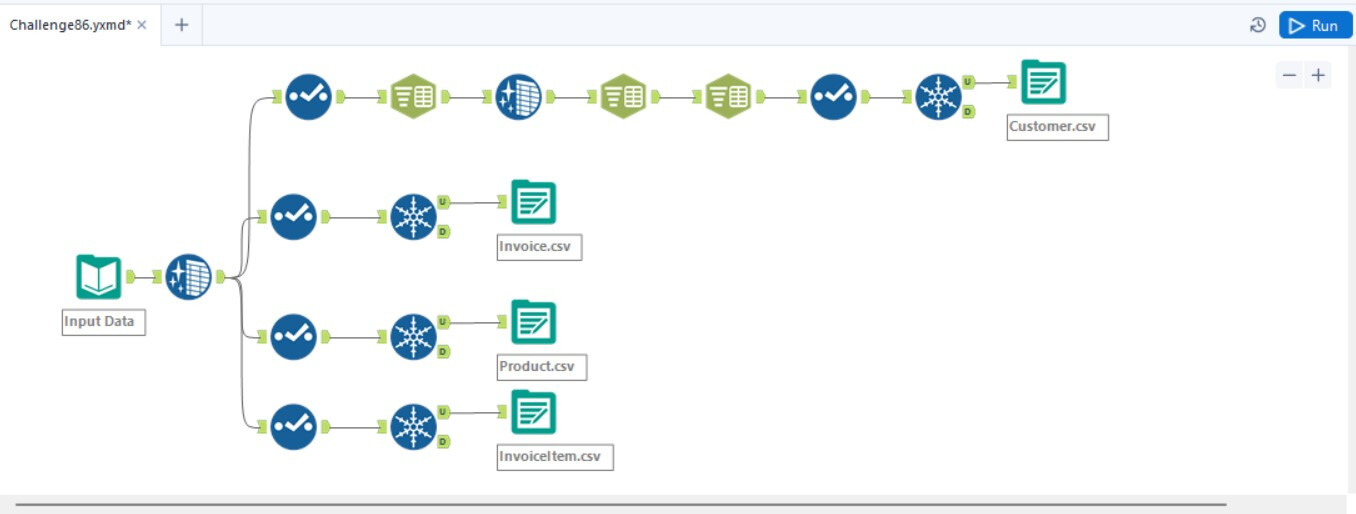


Good challenge. Really loved that last step to combine all the output files into a single excel file.
1 Like

Here is my solution! This one was a little bit harder for me for sure, but I was excited about the chance to apply what I’ve learned about Third Normal Form in Alteryx!

WeeklyChallengeX_Smartys_School_Supplies.yxzp (26.2 KB)
2 Likes
Smartys_School_Supplies.yxmd (35.2 KB)
It was nice to see how Alteryx helps with data normalization–which was more intuitive.
However, the last part felt incredibly inefficient. Wish there were a tool that accomplished this in fewer steps. Took me ~3 hours to finish.


Challenge86_Smartys_School_Supplies.yxmd (24.7 KB)
Challenge86_FinalOutput.xlsx (6.9 KB)
I uploaded my solution and the final output. This was a hard challenge for me. I don’t think it should be classified as beginner because outputting all of the files into one excel file was pretty hard.

WeeklyChallengeX_Smartys_School_Supplies.yxzp (23.9 KB)
I enjoyed parsing the address information multiple times to organize the data.

86ALTERYX-SmartysSchoolSupplies.yxmd (21.9 KB)
Fun to have a concatenated primary key for the final table! Awesome challenge Boston, thanks!
1 Like

This took me longer than it probably should have, but it was a really great practice!
SmartySchool.yxmd (24.1 KB)

SchoolSups.yxmd (23.8 KB)

Initially, I used the RegEx tool to solve the problem and later employed the Text To Columns tool after watching the solution video. Definitely great practice with my parsing tools!
We do love our concatenated primary keys!